
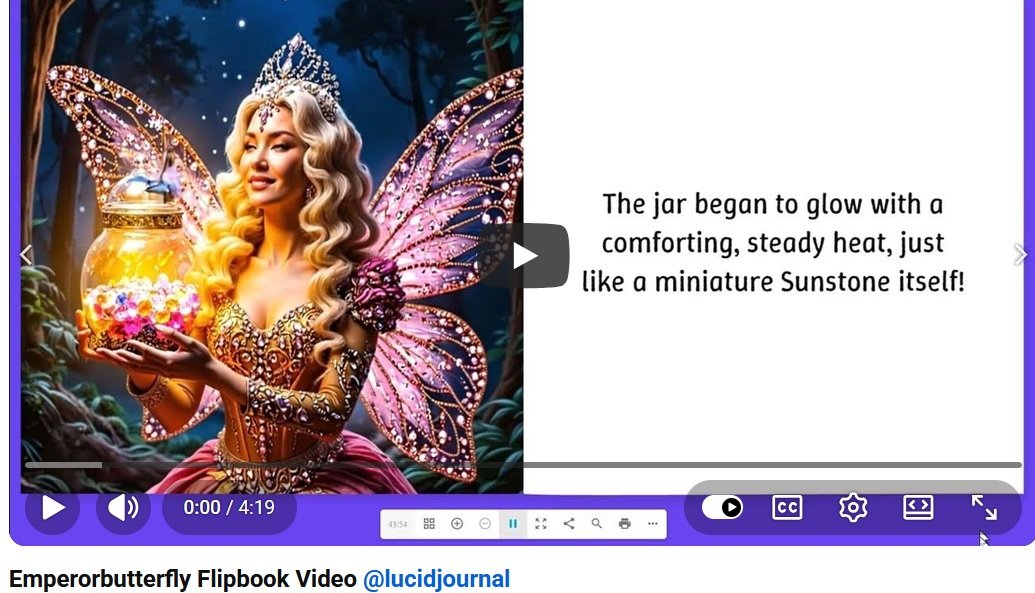
Click Here To Watch Emperorbutterfly Flipbook Video
Digital flipbooks are an attractive way to present magazines, catalogs, brochures, portfolios, reports, and eBooks. However, converting a flipbook into a video can help that content reach even more people.
A flipbook video combines page-turning visuals with movement, narration, music, captions, and other engaging features. It gives businesses, educators, authors, and content creators another powerful way to share their publications online.
1. Reach People on Video Platforms
Turning a flipbook into a video allows you to publish the content on video-focused platforms. Instead of waiting for visitors to find the original publication, you can introduce it to people who regularly watch videos.
A single flipbook video may be shared on YouTube, Facebook, Instagram, TikTok, LinkedIn, and your own website. This creates more opportunities for people to discover your content.
2. Increase Audience Engagement
Videos can immediately capture attention through motion, sound, narration, and visual effects. These features can make a digital publication feel more active and entertaining.
Viewers can watch the pages turn while important headlines, photographs, illustrations, or products are highlighted on the screen.
3. Make Your Content Easier to Consume
Some visitors may not have time to read an entire flipbook. A short video can summarize the publication and present its most valuable information in just a few minutes.
This is especially useful for product catalogs, company reports, educational materials, travel guides, and promotional brochures.
4. Repurpose Content You Already Created
Creating new content takes time and money. Converting an existing flipbook into a video allows you to get more value from work you have already completed.
One digital publication can become a full-length video, several short social media clips, a product presentation, or an online advertisement.
5. Generate More Website Traffic
Your flipbook video can encourage viewers to visit your website to read the complete publication, explore featured products, join a mailing list, or request additional information.
Include your website address in the video, description, captions, and closing call to action. This creates a clear path from the video to your website.
6. Showcase Products More Effectively
Businesses can transform digital catalogs and sales brochures into visually appealing product videos. The video can focus on selected products, display important benefits, and direct viewers to an online store.
Voice narration can also explain features that may not be immediately obvious from a photograph or short product description.
7. Build Greater Brand Awareness
Flipbook videos give you another opportunity to display your logo, brand colors, website address, products, and marketing message.
Maintaining a consistent appearance across your flipbooks, videos, website, and social media pages can make your business easier to recognize and remember.
8. Improve Accessibility
Adding narration and captions can make flipbook content more accessible to people with different reading preferences or accessibility needs.
Captions also allow viewers to understand the video when they are watching without sound. Use readable text, clear narration, strong color contrast, and a comfortable viewing speed.
9. Create Promotional Videos Quickly
A flipbook already contains organized pages, written content, photographs, and graphics. These elements provide a strong foundation for creating a promotional video.
Instead of beginning with an empty video project, you can select the best flipbook pages, add transitions and narration, and finish with a compelling call to action.
10. Give Your Content a Longer Life
Publications can lose attention after their initial release. A video version gives you a reason to promote the content again and introduce it to a new audience.
You can also create updated video versions when products, prices, statistics, or other important details change.
What Types of Flipbooks Can Be Turned into Videos?
Many kinds of digital publications can be converted into engaging videos, including:
- Digital magazines
- Product catalogs
- Business brochures
- eBooks and guides
- School projects and lessons
- Real estate presentations
- Travel publications
- Company reports
- Photography portfolios
- Restaurant menus and lookbooks
Tips for Creating an Effective Flipbook Video
- Begin with an attention-grabbing cover or headline.
- Feature the strongest and most visually appealing pages.
- Keep page transitions smooth and easy to follow.
- Add captions for viewers watching without sound.
- Use clear narration when explanations are necessary.
- Keep social media versions short and focused.
- Finish with a direct call to action.
Turn Your Flipbook into a Shareable Video
Converting a flipbook into a video can increase its reach, improve engagement, support your marketing, and bring more visitors to your website. It also allows you to repurpose one publication for several different platforms.
Whether you are promoting a catalog, magazine, brochure, portfolio, or eBook, a flipbook video can help your content stand out and connect with a wider audience.
Ready to give your publication a new life? Create your digital flipbook with CreateFlipbook.com and transform your pages into engaging content that is easy to share.
Frequently Asked Questions
Why should I convert a flipbook into a video?
A video can introduce your flipbook to audiences on video and social media platforms. It can also summarize the publication, highlight important pages, and encourage viewers to read the complete version.
Can a flipbook video help attract website visitors?
Yes. Include your website address and a clear call to action that directs viewers to your website, online store, landing page, or complete flipbook.
How long should a flipbook video be?
The ideal length depends on the platform and purpose. Short promotional videos may last 30 to 90 seconds, while tutorials, presentations, and detailed publication previews can be several minutes long.
Should a flipbook video include music?
Background music can create atmosphere, but it should not distract from narration or important information. Always use music you own or have permission to include.
Create My Flipbook Related Articles
- 10 Benefits of Turning Flipbooks into Videos
- Amazing Cats
- Flipbook-to-Video Marketing for Brand Awareness and Website Traffic
- How Flipbook Videos Improve Content Marketing
- How Flipbook Videos Increase Viewer Engagement
- How Flipbook Videos Make Online Learning More Visual and Accessible
- Repurpose Flipbook Content into Videos and Reach a Larger Audience
- Transform Product Catalogs into Flipbook Videos That Drive Sales
- Turn a Digital Flipbook into a Social Media Video
- Use Flipbook Videos to Showcase Magazines, Brochures, Portfolios, and eBooks
- Why Flipbook Videos Are Easier to Share